Make repeat ordering easy
Favourites, saved cart details and order history make it easy to come back.

Your food. Your brand. Your ordering app.
Give your food a home of its own. Beautiful menus, your branded ordering app and a connected kitchen — all managed with NibbleKit.
For takeaways, restaurants, cafes and meal-prep brands.
Your own branded appA direct route back to your food
One connected kitchenMenus, orders and your team together
Hosted & maintainedWe take care of the platform
The actual product
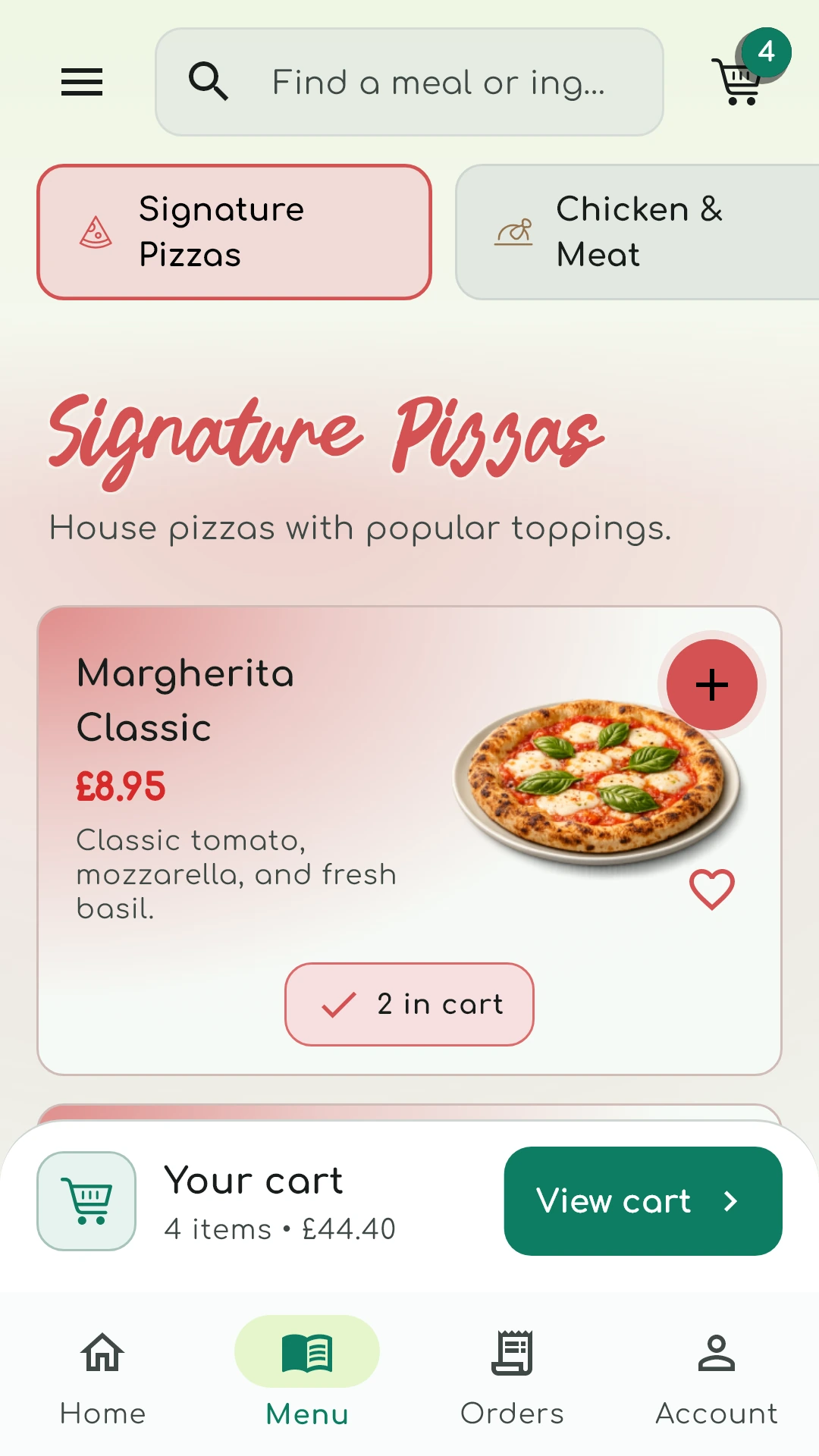
Your customer app and merchant portal, connected and managed.
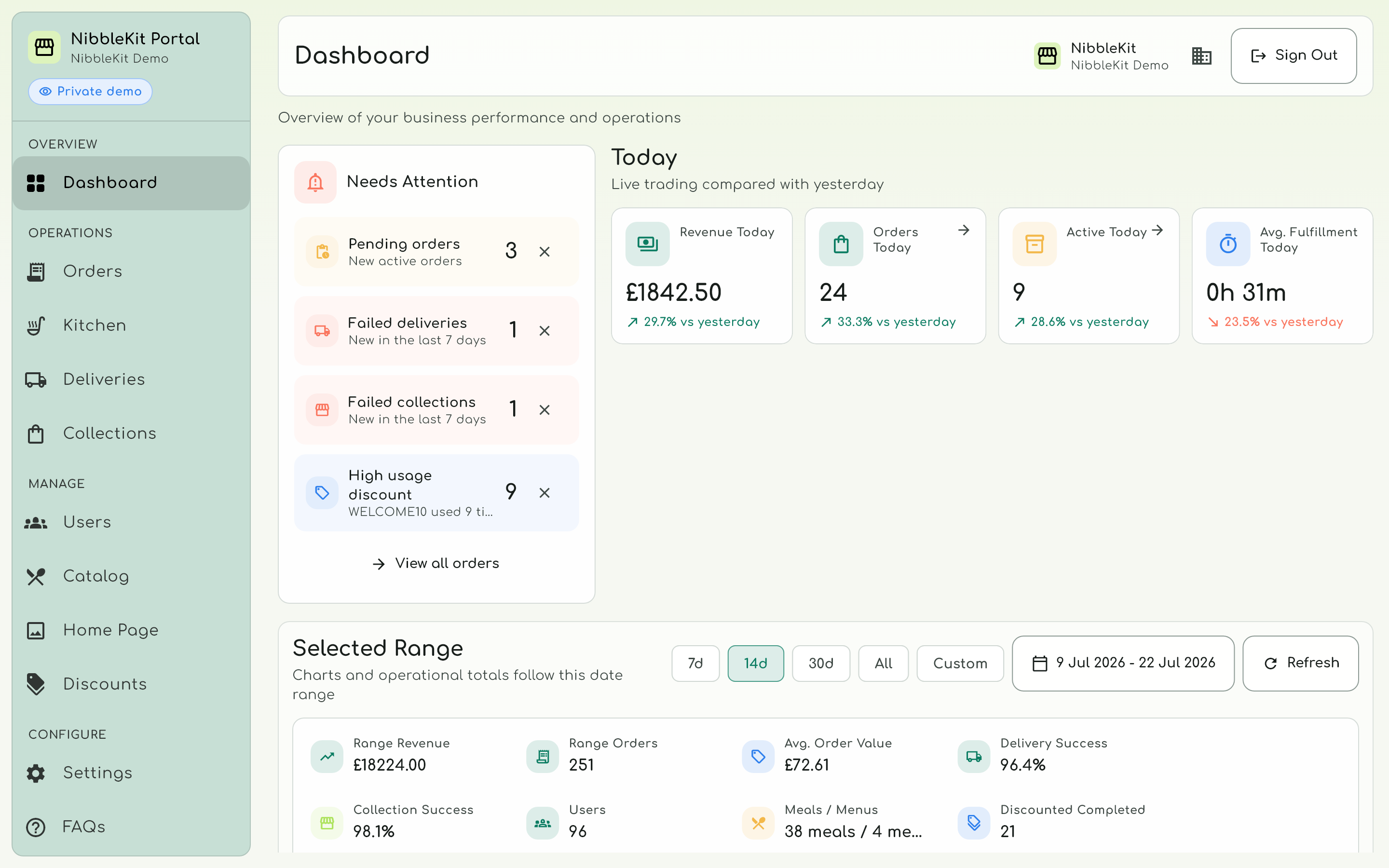
Merchant dashboardYour business at a glance
Your menu,
in their hands
Customer appYour menu in their hands
Real NibbleKit screens · demonstration data.
Meet your AI meal photo studio
People eat with their eyes. Make it easy to fall for your menu, with a great-looking photo for every meal.
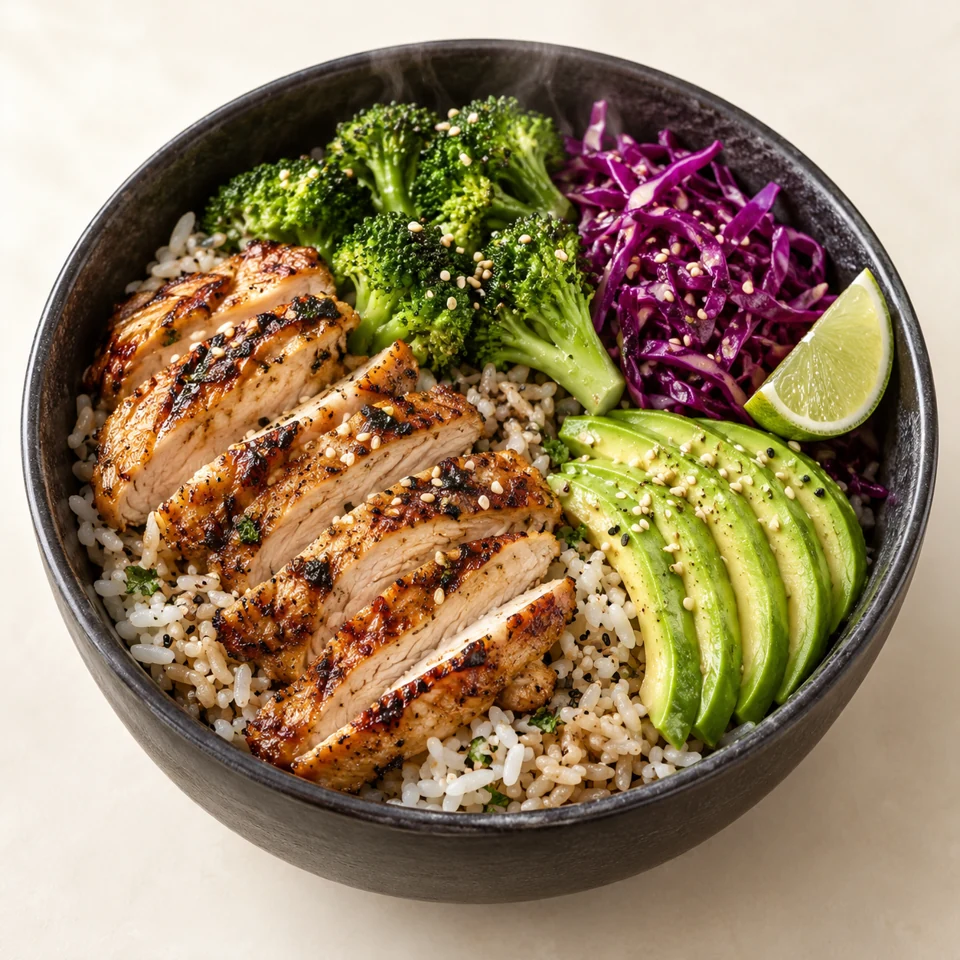
Start with a photo of the food you actually serve. Use AI to improve the lighting, tidy the background or present it on a different plate — right from your meal editor.
Better presentation. The same meal.
No invented ingredients, extra garnish or inflated portions in the editing brief.
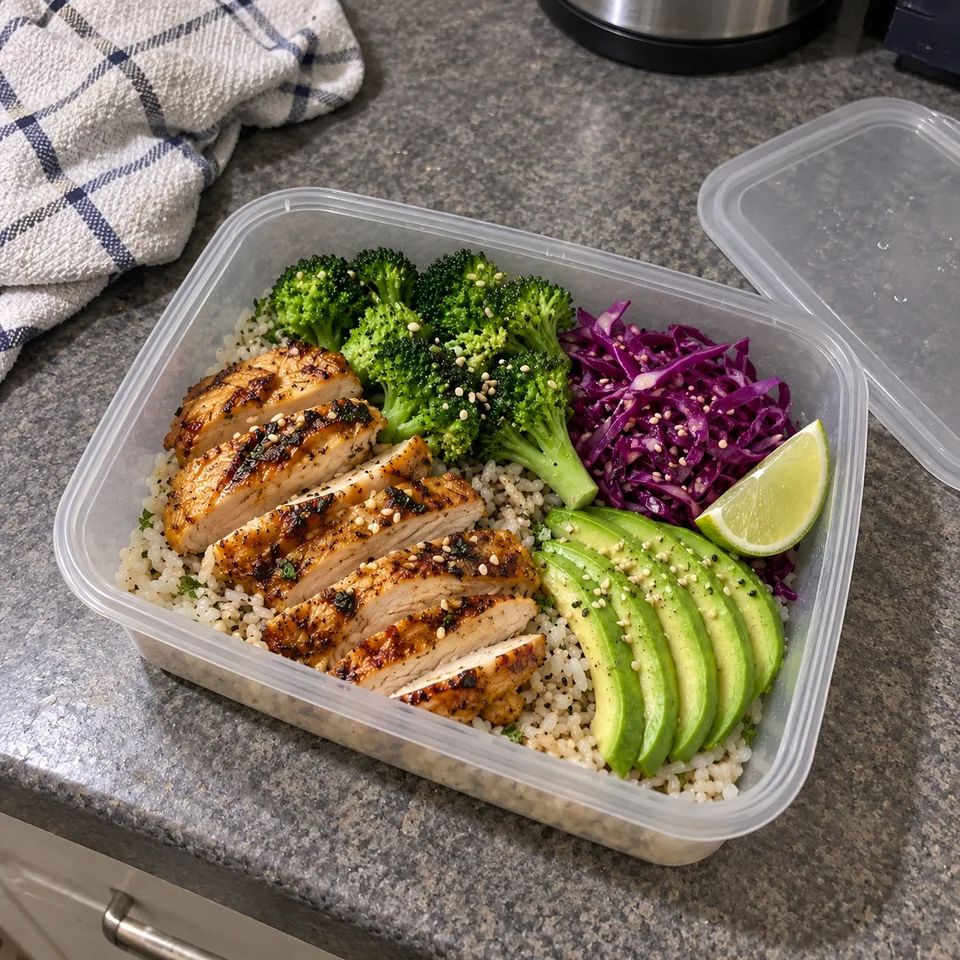 Everyday snapshotStyled presentation
Upload your own photo. The food in that image is the reference, not an imagined dish generated from a name.
Clean up the background, enhance the photo or explore a new presentation. Keep your original and compare saved versions.
Check the ingredients and portion, then confirm it matches the meal you serve. Only use a result you are happy to stand behind.
Optional paid image tools, enabled by your billing owner with a spending limit. The price is shown before generation; successful previews are charged even if you choose not to use them. AI generation is not available in the public demo.
Explore the actual customer app
Tap a meal, choose your options and explore checkout. No account needed.
Take the demo with you

Free Android demo · Available in the UK
Explore the platform. No real orders or payments.
Choose any meal and options. Scroll inside the phone, just like the app.
Use sample details. No orders or payments are taken.Features
Ordering, menu management and fulfilment in one place.
Favourites, saved cart details and order history make it easy to come back.
Keep kitchen, dispatch, collection and delivery teams working from the same orders.
Update meals, options, availability, allergens and prices from your merchant portal.
See sales, order volumes, service times and delivery performance.
Advanced tools
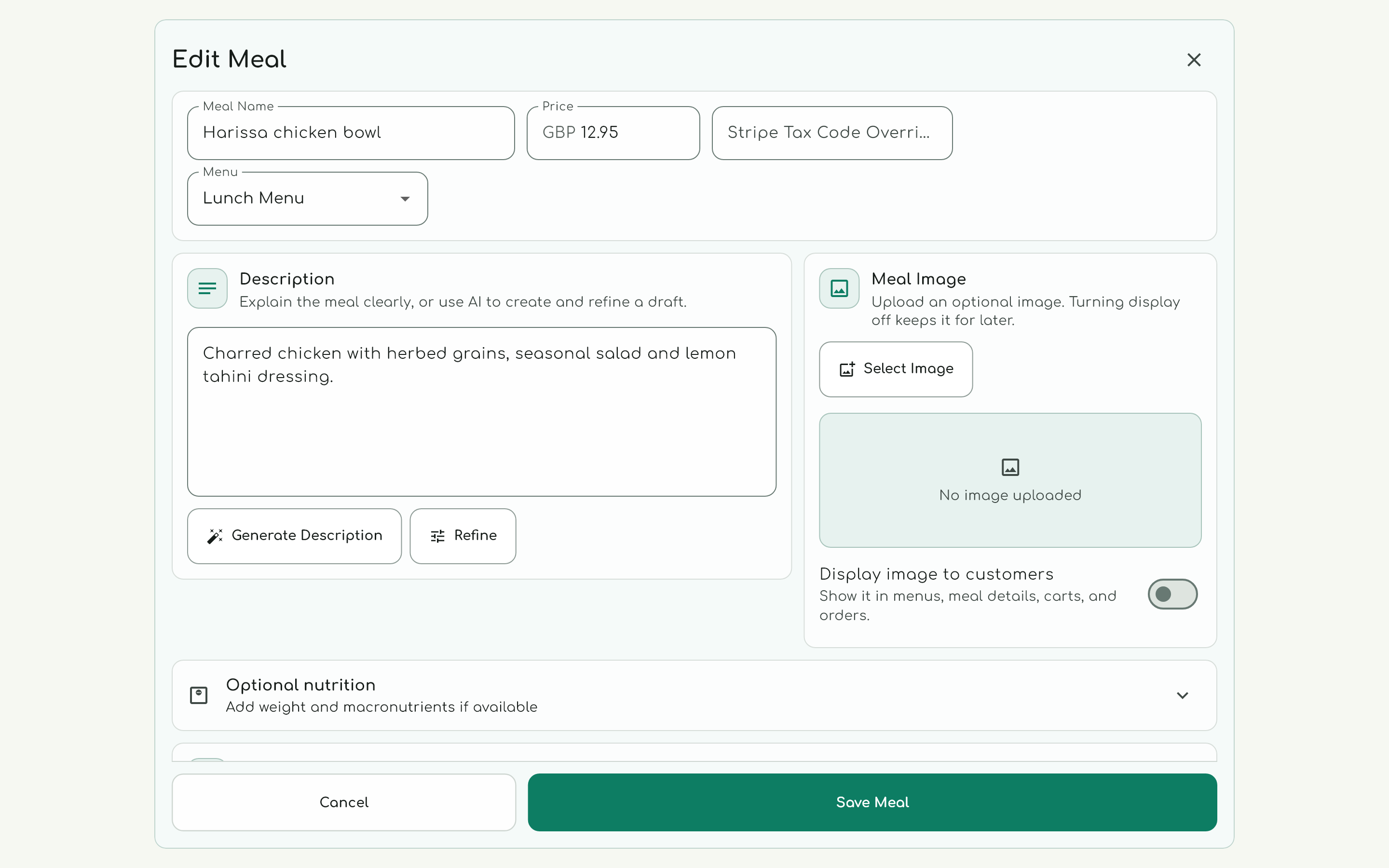
Manage meals, options and photos in one place. Draft and refine descriptions with AI, then check every detail before publishing.
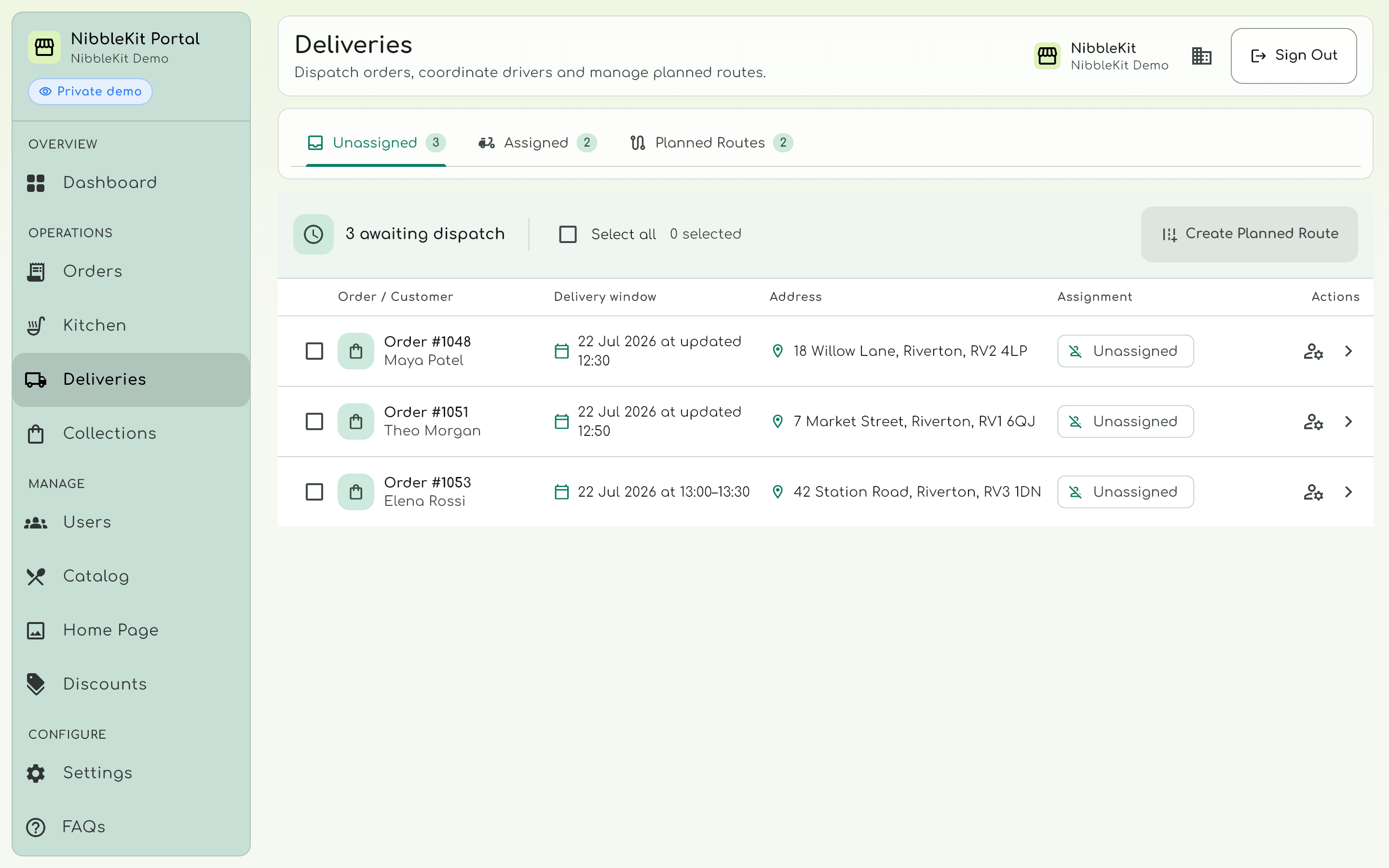
Assign drivers and plan routes from one deliveries workspace.
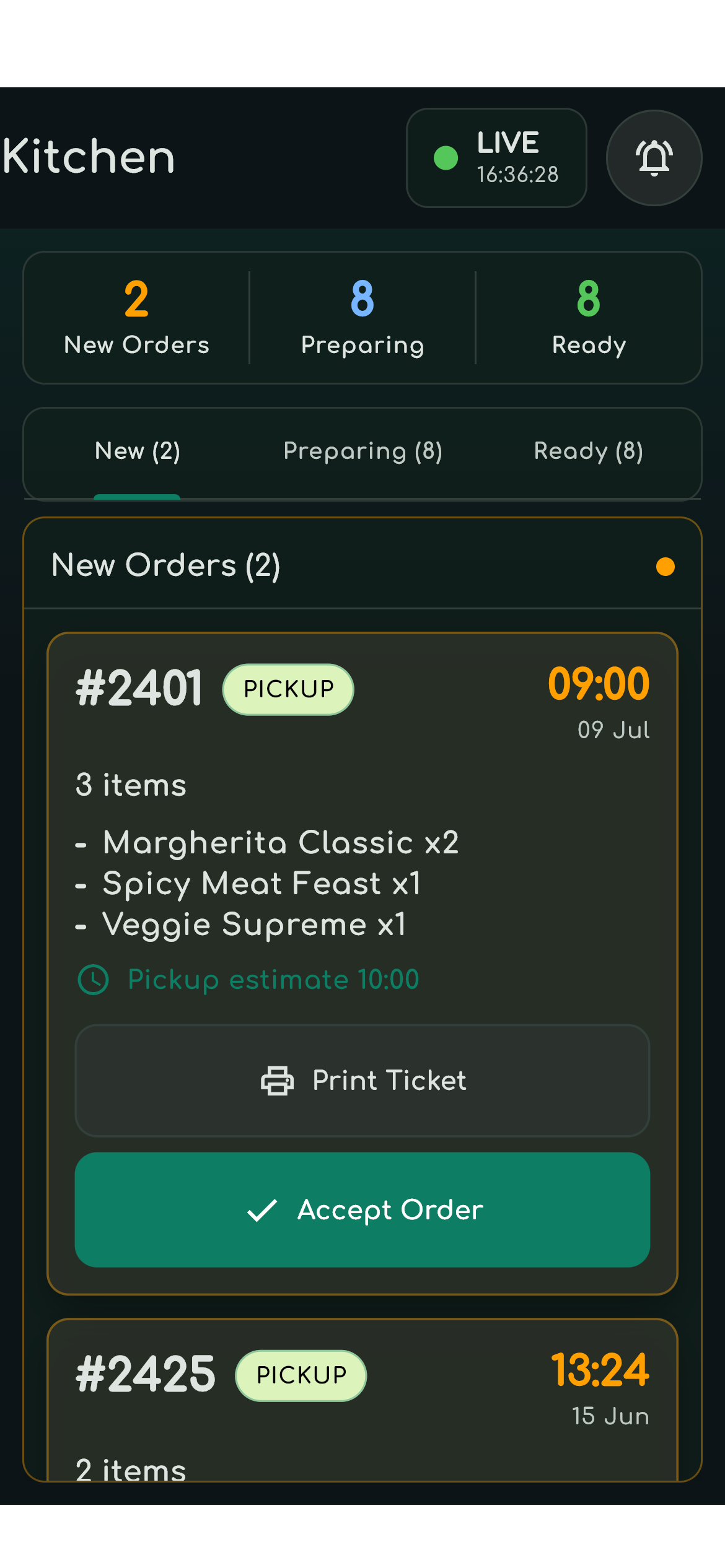
Keep new, preparing and ready orders in view, with ticket printing for your kitchen.
Real demo screens. Tools and printing depend on your setup.
Straightforward pricing
No monthly platform subscription. Normal hosting, updates and launch support are included within the order fee.
Additional locations or custom work are scoped and agreed before launch.
VAT applies where chargeable. Final commercial, setup and onboarding terms are agreed in writing before launch.
£5,000.00 in weekly order value
Compare order fees at the same order volume.
Illustration: weekly orders × average final order total × (30% − 5.5%). The 30% marketplace rate is a comparison assumption, not a claim about every provider or plan. £299 one-off launch setup and VAT are excluded. NibbleKit includes standard UK card processing; additional Stripe costs may apply. Delivery staffing, customer acquisition and other operating costs are excluded. This is a fee comparison, not a delivery service quote or a profit forecast.
Product FAQ
The meal photo studio starts with your actual photograph. Its editing instructions prohibit added ingredients, garnish, extra pieces and larger portions. AI can still change details, so you compare the result with your original and confirm that it matches the food you serve before applying it. You can keep the original or select a saved version instead.
Photo upload, cropping and resizing are available without an AI generation charge. AI image tools are optional paid features: your billing owner enables them and sets a spending limit. You see the price before generating. A successful preview is charged even if you do not use it; failed or unusable jobs are not charged. AI image generation is disabled in the public demo.
NibbleKit is a managed direct-ordering and operations platform for food businesses. It combines a branded customer app, secure checkout, merchant control and staff workflows without asking you to maintain a custom technology stack alone.
It is built for takeaways, restaurants, cafes, bakeries, dessert shops, meal-prep brands, and delivery or collection kitchens that want repeat customers to order direct instead of relying only on marketplaces, phone orders, or manual messages.
Customers can search and browse your catalogue, save favourites, retain cart details, order again from history and follow order progress. A live rollout is configured around your branding, menu, policies and ordering settings.
The merchant portal covers catalogue management, availability, delivery areas, discounts, customers, live orders and operational reporting. Dedicated kitchen, dispatch, collection and delivery workflows can keep fulfilment clear where configured.
Operational dashboards can show revenue, order volume, average order value, fulfilment time, service mix, delivery outcomes and discount performance. They are designed for day-to-day service insight rather than accounting or profit reporting.
Not directly. Marketplace apps can still be useful for discovery. NibbleKit is designed for repeat direct ordering, so customers who already know your food can order through a channel you control.
Customer card payments are securely processed through your own Stripe account. The standard UK card processing allowance of 1.5% + 20p is included within NibbleKit's 5.5% order fee. If Stripe charges more for a payment, such as for a premium, EEA or international card or currency conversion, only that extra Stripe cost remains yours. Stripe also retains processing costs when a payment is refunded and may charge separately for disputes, chargebacks and optional services.
The default offer has no monthly platform subscription: it is 5.5% of the final total for each successful NibbleKit order plus a £299 one-off launch setup, excluding VAT where chargeable. Standard UK card processing is included; Stripe costs above that standard allowance remain payable by the merchant. Card-order fees are deducted through Stripe, fulfilled cash-order fees are invoiced monthly and online card totals must be at least £5. The signed order form confirms scope, billing, support, term and any variation.
Yes. Your team can add and manage meals, options, images, allergens, ingredients, nutrition information and pricing from the merchant portal.
Yes, where configured. NibbleKit supports delivery and collection, prep times, future service days, slots and capacity, delivery areas, handover codes and order-status updates. Availability depends on the launch configuration for your business.
You can browse seeded menus, place demo orders, save favourites, view order history and explore merchant tools including catalogue management, order handling, discounts, delivery settings and reporting. Use sample data only because demo workspaces may expire or be reset.
Talk to NibbleKit
Tell us what you need. We’ll help you decide whether NibbleKit fits.